For Windows 10 & 11 · Version 1.0

See everything on your PC.
Keep what matters. Clear the rest.

SpaceRaven scans every drive in seconds, tells you what every folder actually is, and finds the duplicates, forgotten files and games you stopped playing. You decide what goes.

Free scan of every drive · Clean your first 500 GB free · One-time purchase, no subscription
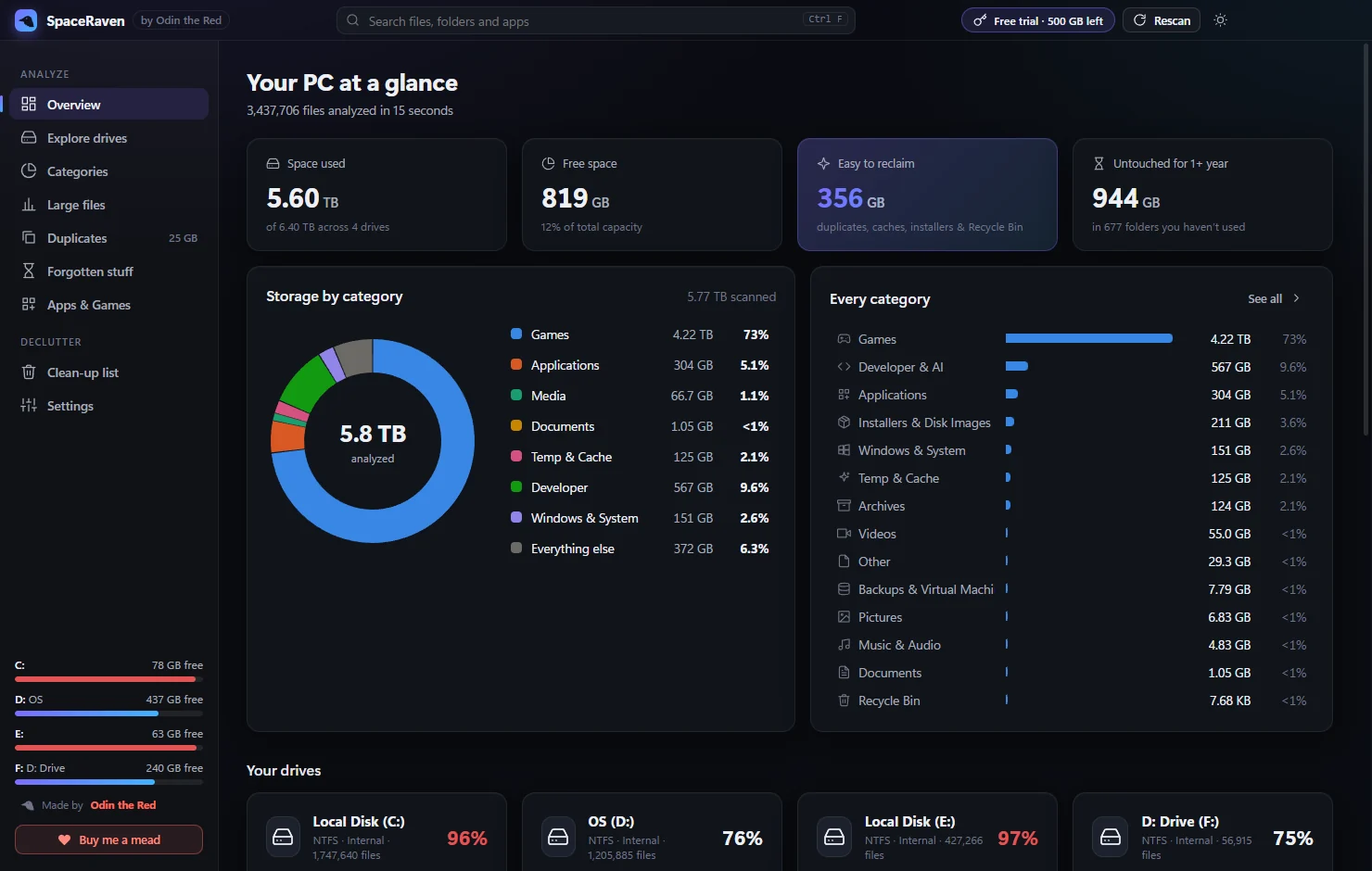
SpaceRaven overview: storage by category, drives and reclaimable space
15 secto scan 3.4 million files across 6 TB
14categories — games, apps, media, caches, AI models…
0files deleted without your say-so
Features

A declutter tool that actually explains itself

Most cleaners show you a wall of file names. SpaceRaven tells you what each thing is, where it lives, when you last used it, and whether it’s safe to remove.

Every drive, in seconds

Reads the whole PC in parallel — internal, external and removable drives — without slowing you down.

Sorted into what it is

Games, apps, Windows, videos, photos, documents, installers, caches, developer files and AI models — with clear charts.

Real duplicate finder

Compares file contents, not names. Auto-select extra copies and always keep one — guaranteed.

Forgotten stuff

Folders and files nobody has opened in 6 months, 1 year or 3+ years — smart enough to ignore backup and antivirus sweeps.

Games & apps

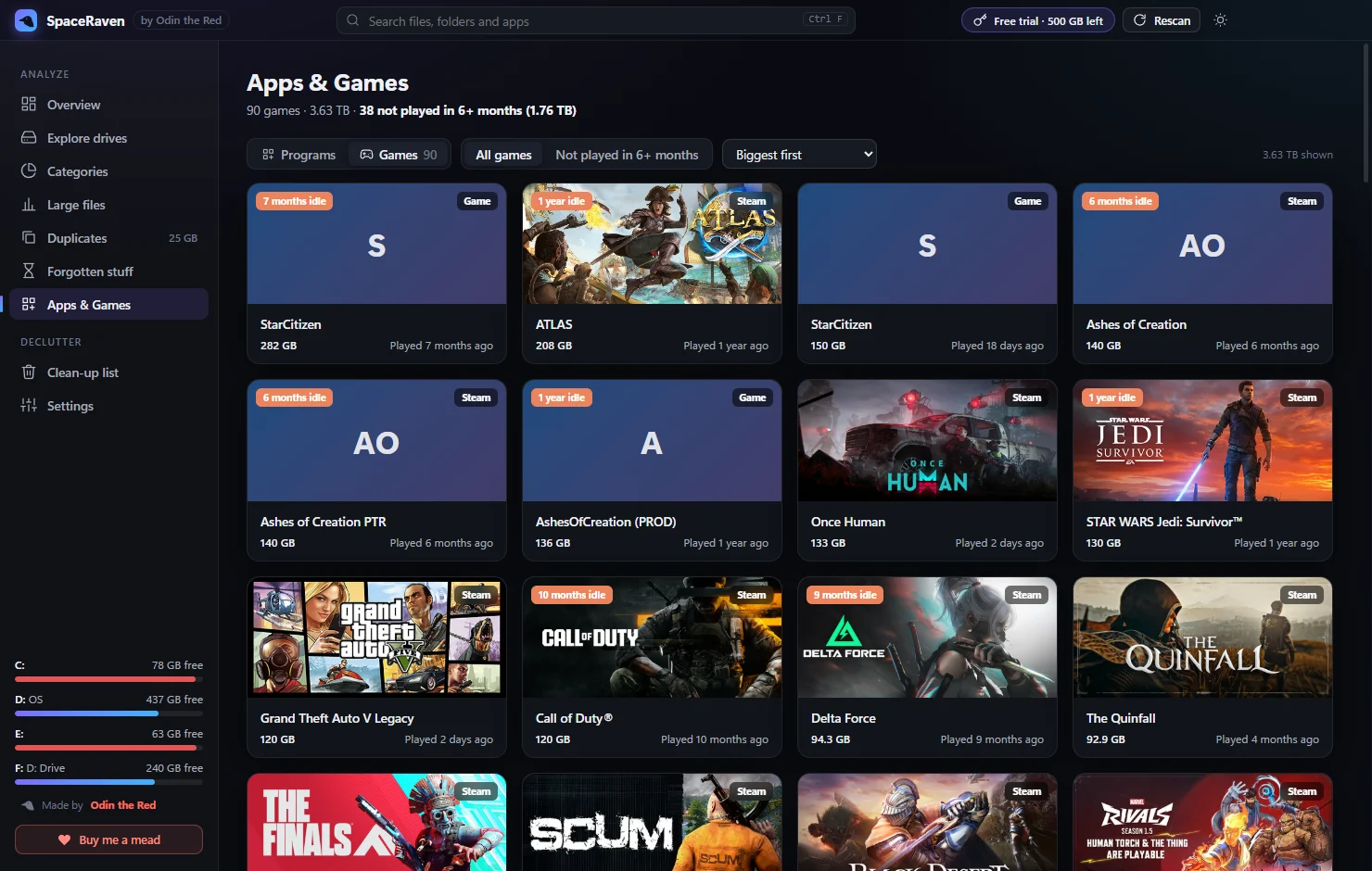
Every installed game with cover art and when you last played it. Uninstall through Steam or the app’s own uninstaller.

See before you delete

Large-icon view with real thumbnails for photos and videos, plus a space map that shows what’s biggest at a glance.

Games

Find the games you stopped playing

Modern games are 100 GB+. SpaceRaven reads Steam, Epic, Xbox and more, and shows exactly how long each one has been sitting untouched.

  • Last-played dates straight from your launchers
  • “6 months idle” badges on the big offenders
  • One click to uninstall the right way
SpaceRaven games view with cover art and last played dates
Explore

Know what every folder is for

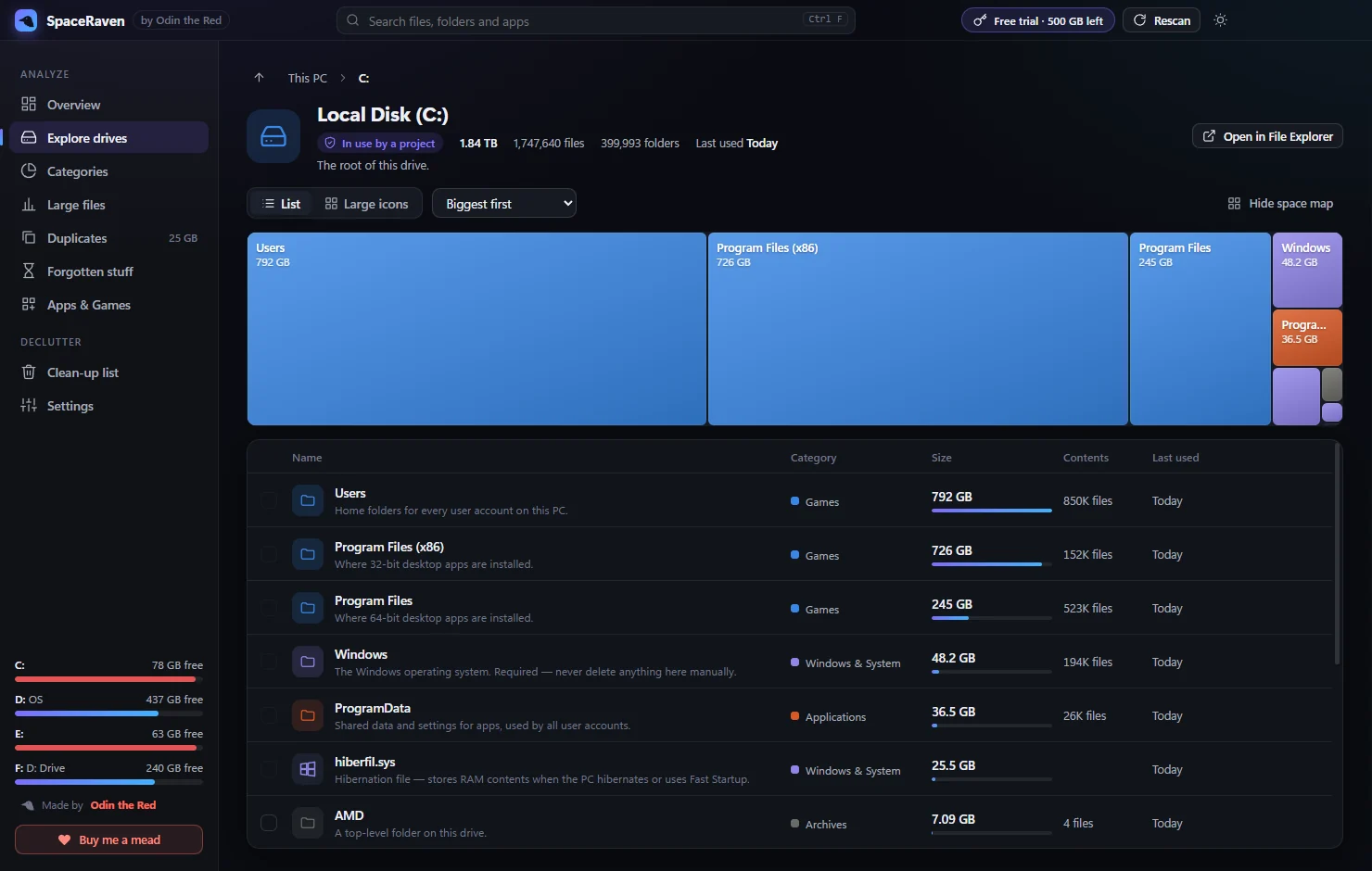
Click anything to see a plain-English description, its size, contents, when it was last used — and whether it’s safe to remove.

  • Descriptions for hundreds of Windows, app and game folders
  • Safety badges: Safe · Review first · Be careful · Protected
  • List view, large icons and a live space map
SpaceRaven drive explorer with space map and folder details
Declutter

Caches, temp files and forgotten folders

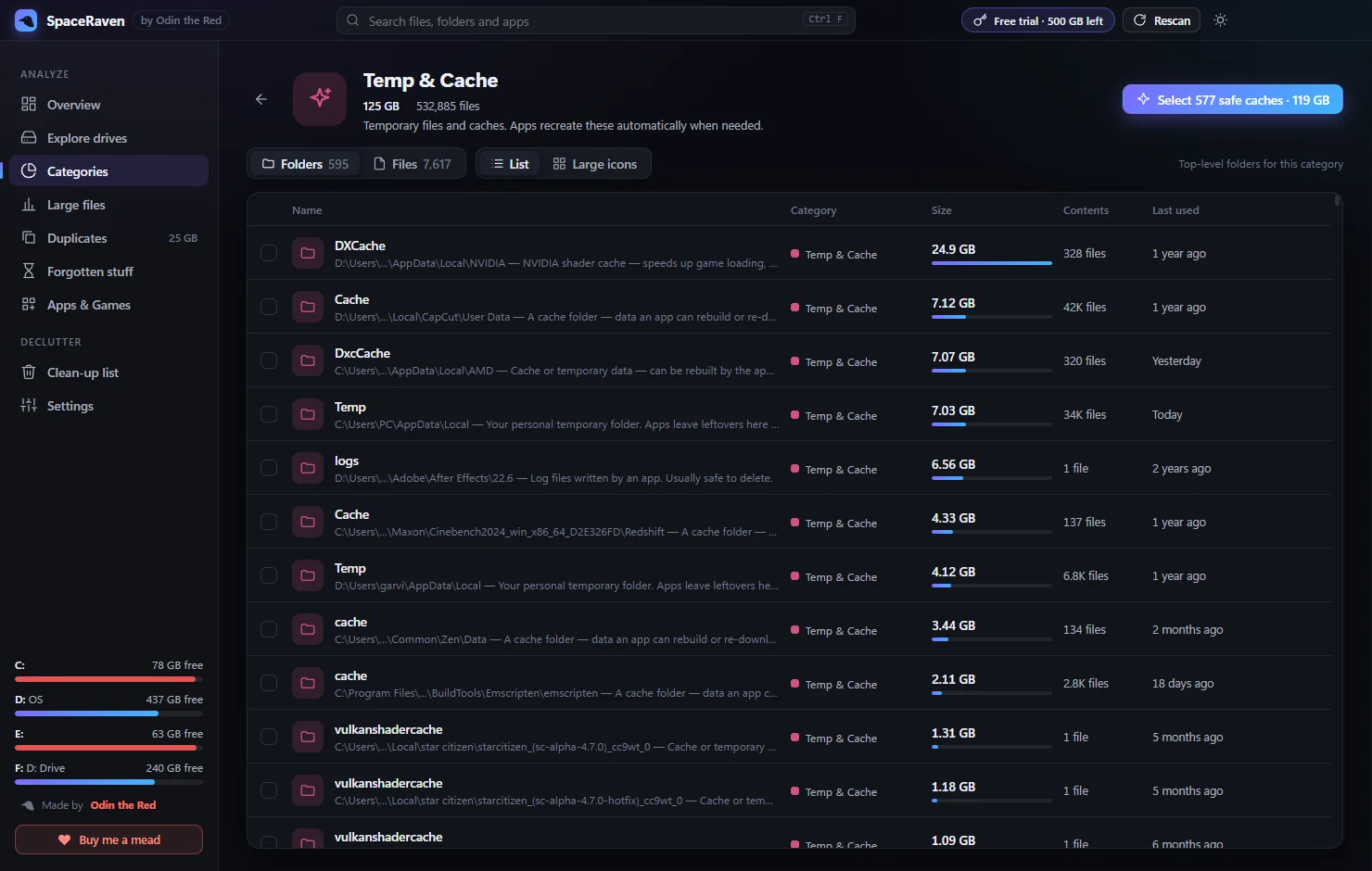
Hundreds of gigabytes hide in shader caches, temp folders, old installers and projects you forgot about. SpaceRaven finds them and tells you which are safe.

  • “Select all safe caches” in one click
  • Filter forgotten stuff by 3 months to 3+ years
  • Everything lands on a clean-up list for a final review
SpaceRaven temp and cache folders with safe selection
Safety

Built so you can’t break your PC

A cleaner is only useful if you can trust it. SpaceRaven is careful by design.

Nothing auto-deletesOnly what you tick, after a final review screen.
Recycle Bin by defaultChanged your mind? Restore it like any other file.
Windows is off-limitsSystem, program and profile folders are hard-blocked.
Your projects are lockedFolders your coding tools are working in are protected automatically.
Pricing

Pay once. Keep it forever.

Scan everything and clean your first 500 GB for free. Buy a license for unlimited cleaning — or just leave a tip if SpaceRaven helped.

Free

$0
No account, no card
  • Scan every drive
  • Categories, charts & space map
  • Duplicates, forgotten stuff, games & apps
  • Clean up to 500 GB free
Download free
Best value

SpaceRaven Pro

$24.99 one-time
No subscription. Ever.
  • Everything in Free
  • Unlimited cleaning
  • Use on up to 3 PCs
  • All 1.x updates included
Buy SpaceRaven
FAQ

Questions

Does SpaceRaven upload my files anywhere?

No. Scanning and analysis happen entirely on your PC — your files, names and folders never leave it. SpaceRaven only goes online to check your license key and to show game artwork from Steam. See the privacy policy.

Can it delete something important?

Windows, Program Files, your user folders and drive roots are hard-blocked. Items go to the Recycle Bin by default, and nothing is removed until you confirm on the review screen. Installed apps are removed with their own uninstaller.

What does the free version include?

Everything except unlimited cleaning: full scans, categories, duplicates, forgotten files, games and apps. You can clean up to 500 GB for free — for most people that’s a full declutter.

I don’t need Pro, but I like it. Can I support it?

Yes, thank you! SpaceRaven is made by one developer. You can buy me a mead by card or tip on Ko-fi.

How many PCs can I use my license on?

Up to 3 PCs you own. Moving to a new PC? Deactivate the old one in Settings → License and activate the new one.

Why does Windows show a SmartScreen warning?

New apps build reputation with Microsoft over time. If you see “Windows protected your PC”, click More info → Run anyway.

Which Windows versions are supported?

Windows 10 and Windows 11, 64-bit. Running as administrator gives the most complete results.